Nowdays ,there are three popular ways for game lover to play diffent game rom on 3DS Console
1. Sky3ds flashcart ( Most users should buy it ,very functional )
2.Gateway 3ds falshcart ( very powerful but has some console limited )
3. Pasta CFW ( Support cia games )
So providing the introduce to make your own selection.
NEW 3DS Flashcard-Sky3DS
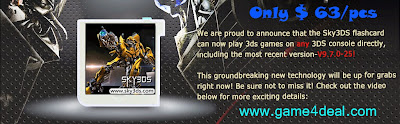
Sky3ds is a come out on late 2014 ,compare the Gateway 3ds and other MT card , it is much newer, it is still the only 3ds game flashcard that can work on any 3ds/new 3ds ll/3ds/3ds ll/2ds consoles, and as the help of RegionFOUR ,RegionTHREE ,NTR CFW and Pasta CFW ,Sky3ds because a flashcart that has a strong and attractive fuunctions .
*RegionTHREE helps Sky3ds with region free on Old 3DS Console V4.0-9.5
*RegionFOUR helps Sky3ds with region free on New3DS/New3DSXL/3DS/3DSXL/2DS console V9.0-9.7
*NTR CFW 2.2 helps Sky3ds with Region free on JP/EU/US/AUS New 3DS(XL/LL) with firmware v8.1.0/9.0.0/9.1.0/9.2.0
*PASTA CFW helps Sky3ds with install CIA game rom on New/Old 3DS V4.0-9.2
1. Sky3ds flashcart ( Most users should buy it ,very functional )
2.Gateway 3ds falshcart ( very powerful but has some console limited )
3. Pasta CFW ( Support cia games )
So providing the introduce to make your own selection.
NEW 3DS Flashcard-Sky3DS
Sky3ds is a come out on late 2014 ,compare the Gateway 3ds and other MT card , it is much newer, it is still the only 3ds game flashcard that can work on any 3ds/new 3ds ll/3ds/3ds ll/2ds consoles, and as the help of RegionFOUR ,RegionTHREE ,NTR CFW and Pasta CFW ,Sky3ds because a flashcart that has a strong and attractive fuunctions .
*RegionTHREE helps Sky3ds with region free on Old 3DS Console V4.0-9.5
*RegionFOUR helps Sky3ds with region free on New3DS/New3DSXL/3DS/3DSXL/2DS console V9.0-9.7
*NTR CFW 2.2 helps Sky3ds with Region free on JP/EU/US/AUS New 3DS(XL/LL) with firmware v8.1.0/9.0.0/9.1.0/9.2.0
*PASTA CFW helps Sky3ds with install CIA game rom on New/Old 3DS V4.0-9.2
*Ninjhax makes it happen for support Homebrews
*Compatible with NTR CFW spoof firmware to access eShop freely on NEW3DS 9.2.0 and lower versions systemNAND
*Compatible with rxMode emuNAND 9.7.0 for playing newest games on ANY OLD3DS lower versions systemNAND

In a long time ago , Gateway only support V4.1-4.5 for Old 3DS ,as it has Emuand function ,so it can be Emuand to the latest console V9.7 ,. if you do not know how to use it , you can check the tutorial from : http://www.game4deal.com/blog/?m=201504
Old 3DS Flashcard-Gateway 3DS
Gateway 3ds is perfect in running 3ds games and supporting many functions. Such as Emuand, dump 3ds game card, downgrade 3ds firmware, homebrews and cia games and so on. Very easy to change games. Because the gateway 3DS support mulit-roms, At this point ,it is very conveninent than sky3ds ,as the later is only can swith the game by press the blue button .
In a long time ago , Gateway only support V4.1-4.5 for Old 3DS ,as it has Emuand function ,so it can be Emuand to the latest console V9.7 ,. if you do not know how to use it , you can check the tutorial from : http://www.game4deal.com/blog/?m=201504
3DS/NEW 3DS CIA CFW-Pasta
Pasta CFW ,it can allows the unsigned CIA to be installed on Old and new 3ds Pasta Custom Firmware, Previous ,Gateway 3DS can on support cia files with older 3ds firmware from v4.1 to v4.5 From now on,With Pasta CFW , you can play cia 3ds games wihout GW or any other flash card. and it has been released for the latest Version Pasta CFW 1.1 ,works with New/Old3DS V4.0-9.2 ,But please notice you still need the Guide of Cubic Ninjia ( Sky3ds ) , you can check for details from this artile:
http://www.game4deal.com/blog/?p=3007
Conclusion
Sky3ds can be the winner. you can wholesale the sky3ds from official reseller :
www.game4deal.com
www.game4deal.com


